
Connecting your integrations is the most important first step. Once done, your historical campaigns, revenue data, and channel performance will start populating across the app.
To connect your integrations:
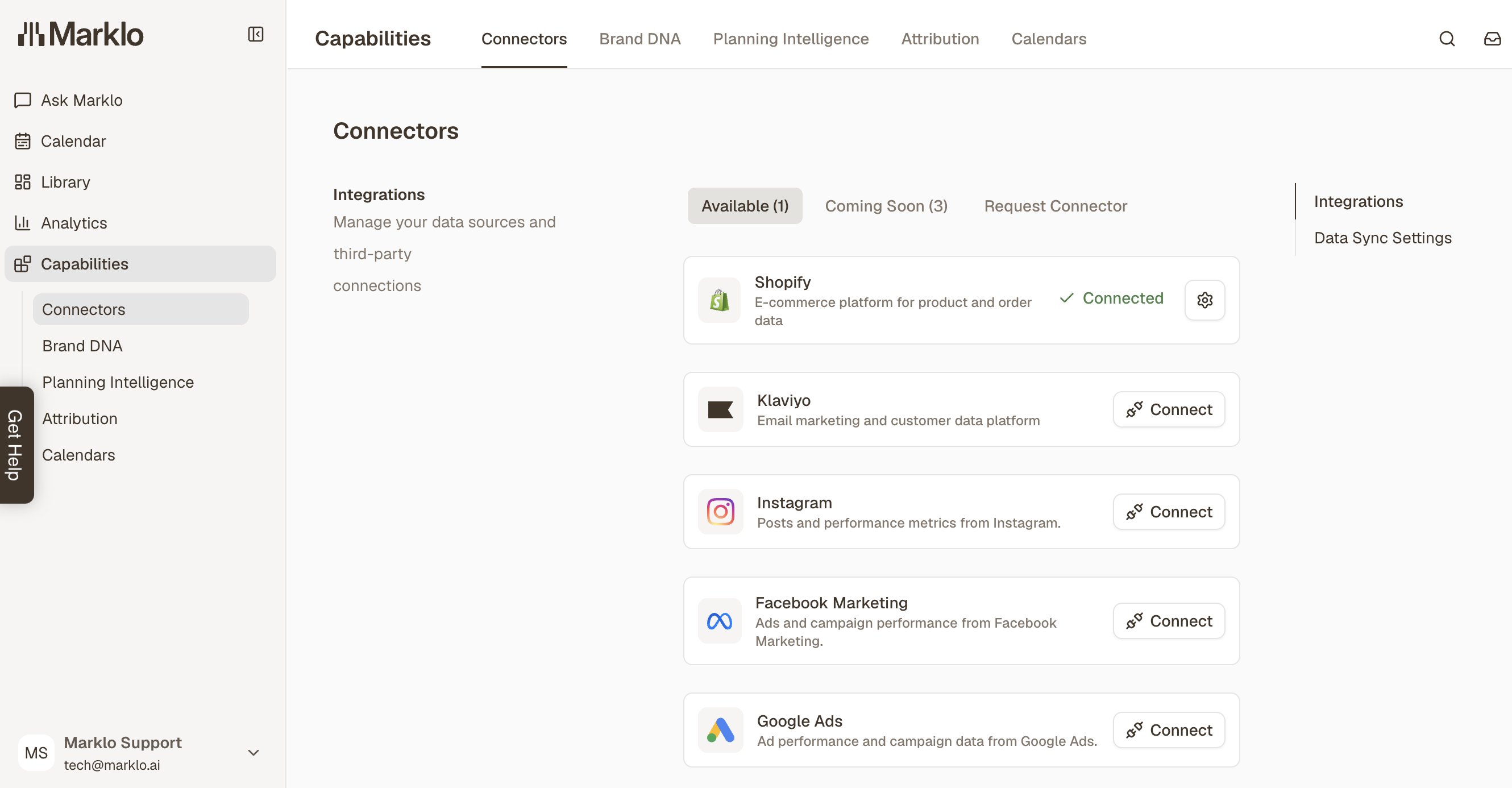
In the left sidebar, go to Capabilities → Connectors
Connect each platform below
Shopify
Click Connect on the Shopify card
Authorize Marklo to access your store
Marklo imports historical data and refreshes sales data every 10 minutes
Required Shopify permissions: Apps (manage and install), Products (view), Orders (view), Analytics (view), Marketing (view), Online Store (view) To check: Settings → Users and permissions → [Your account] → Permissions
Klaviyo
Click Connect on the Klaviyo card
You'll be redirected to Klaviyo's authorization page — sign in and click Allow
Marklo requests read-only access to campaigns, flows, metrics, lists, and segments
Your Klaviyo campaigns and flows will appear on your calendar automatically, grouped by cross-channel campaign
Historical import (up to 24 months) takes up to 30 minutes for most accounts
Marklo does not send, edit, or delete anything in Klaviyo. It's read-only.
Instagram, Facebook Marketing & Google Ads
Click Connect on the Meta and/or Google Ads cards
Follow the authorization prompts for each platform
Once connected, your paid campaign data will appear alongside your email and Shopify data on the calendar
📹 Video walkthrough: Setting Up Your Integrations